

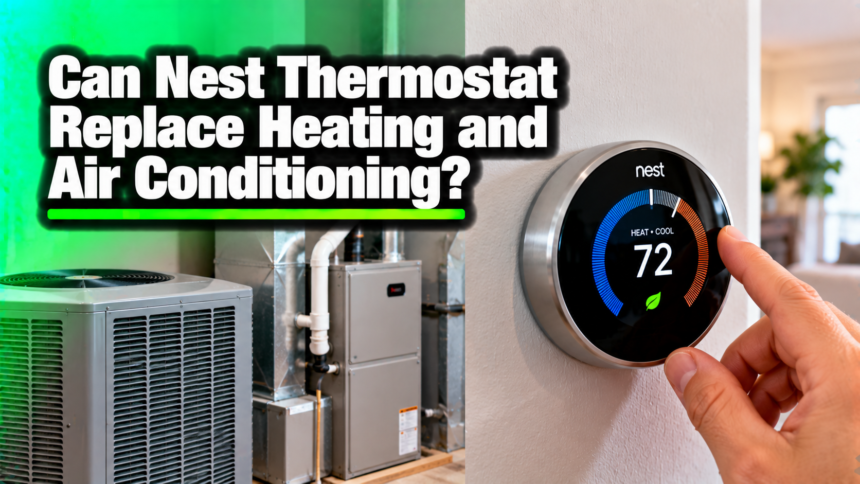
A Nest thermostat can’t replace your heating and air conditioning. It replaces the small control box on your wall, the thermostat, not the furnace, boiler, heat pump, or air conditioner that actually makes the warm or cool air. Think of it as a smarter brain for the system you already own. It decides when your equipment runs, but it can’t heat or cool a single room on its own.
So if your home has no furnace or AC, a Nest gives you nothing to control. And if you have a working system, a Nest doesn’t remove the need for it. What it does is run that system better, and that is where the real value shows up.
It is a common mix-up, because a Nest is marketed on comfort and lower bills, and it is easy to picture it doing the heating and cooling itself. It doesn’t. Here is what a Nest actually swaps out, what it leaves in place, how it controls your system, and what you can expect on your energy bill once it is on the wall.
What does a Nest thermostat actually replace?
A Nest thermostat replaces the thermostat you already have. That is the round dial or rectangular panel mounted on a wall, usually in a hallway or living room. It reads the room temperature and sends a signal to your heating and cooling equipment, telling it to start or stop.
Your old thermostat did the same basic job. You set a number, and the system ran until the room hit it. A Nest does that job with more skill. It learns your routine, adjusts on its own, and lets you change the temperature from your phone or a voice assistant. The part on the wall changes. The machinery in your basement, closet, attic, or outside stays exactly where it is.
This is the key point behind the question. Replacing a thermostat is not the same as replacing a heating or cooling system. One is a light switch for comfort. The other is the engine.
What a Nest thermostat can’t do?
A Nest makes no heat and no cold air. It has no burner, no compressor, and no heating element. All of that lives in your furnace, heat pump, boiler, or air conditioner. The Nest only tells those units when to run and for how long.
This matters if you are hoping a smart thermostat will stand in for an aging furnace or a dead AC. It won’t. If your air conditioner fails in July, a Nest can’t cool the house. If you have no central system at all, a Nest has nothing to switch on. It is a controller, and a controller needs something to control.
A Nest thermostat is the control, not the source. It manages the heating and cooling equipment you already own. It never becomes that equipment.
How does a Nest control your heating and cooling?
Your heating and cooling system runs on a set of thin, low-voltage wires, usually 24 volts, that connect the thermostat to the equipment. Each wire carries one instruction. One calls for heat, one calls for cooling, one runs the fan, and others handle extra functions.
When the room drops below your set temperature, the Nest closes the circuit on the heat wire, and the furnace fires up. When the room is warm enough, it opens the circuit, and the furnace shuts off. Cooling works the same way through a different wire. The Nest can also handle systems with more than one stage of heating or cooling, up to three stages of each, so larger or two-speed systems still work fine.
The useful part is timing. A Nest watches how fast your home heats up and cools down, factors in the outside weather, and starts the system at the right moment instead of running it hard at the last second. Same equipment, smarter scheduling. That is the whole idea: better control of a system you already have.
What heating and cooling systems work with a Nest?
Most homes with a central, low-voltage system can use a Nest. The Nest Learning Thermostat works with most 24-volt systems, which covers the large majority of houses in North America. Here is how the common setups line up:
| Heating or cooling system | Works with a Nest? |
| Gas, oil, or electric furnace (forced air) | Yes |
| Central air conditioning | Yes |
| Heat pump, with auxiliary and emergency heat | Yes, up to 3 stages |
| Boiler or radiant heat | Yes |
| Hot water or in-floor radiant | Yes, most setups |
| High-voltage electric baseboard (120V or 240V) | No |
The main systems a Nest can’t run are high-voltage electric baseboard heaters and other line-voltage setups that use 120 or 240 volts instead of the standard 24. Those need a different thermostat built for that power level.
Before you buy, check your exact wiring. Google keeps a free compatibility checker where you enter the wires behind your current thermostat and it tells you whether a Nest will fit. Many people also ask about the C wire, or common wire, which supplies steady power. Newer Nest models use power-sharing technology and work with or without one. Only a small share of homes, under 1 percent, need a C wire or a small add-on connector for reliable power.
Which Nest model do you need, and what does it cost?
Google sells two main models, and both control the same kinds of systems. The difference is how much they do on their own.
The standard Nest Thermostat is the cheaper option, around $130. It gives you phone control, energy-saving suggestions, and simple scheduling, but you build the schedule yourself.
The Nest Learning Thermostat, the higher model at about $280, builds your schedule automatically by watching how you set the temperature over the first week, and it adds a sharper display and support for optional room sensors.
For most homes, either model does the core job: it runs your furnace and AC on a smarter schedule and cuts waste. Pick the Learning model if you want it to program itself and manage a larger or multi-zone system. Pick the standard model if you are happy setting a simple schedule and want to spend less.
Both connect to Wi-Fi, both work with the Google Home app, and both control heating and cooling in the same way, so the entry-level model is not a downgrade on the part that matters.
Is a Nest hard to install yourself?
For most standard systems, a Nest is a doable do-it-yourself job that takes about 20 to 30 minutes. You turn off power to the system at the breaker, take a photo of your old wiring, unclip the old thermostat, and label each wire with the small stickers Nest includes. Then you attach the Nest base, push the same wires into the matching ports, clip the display on, and turn the power back on. The Nest walks you through the rest on screen.
Two things are worth care. Take that wiring photo before you touch anything, so you can put a wire back if you get lost. And if you see wires you can’t identify, a system that is very old, or a high-voltage setup, stop and call an HVAC or electrical pro. A short service call is cheaper than a damaged furnace board.
Do you still need a furnace and an air conditioner?
Yes. A Nest does not change what your home needs to stay comfortable. You still need a heat source for winter and a cooling source for summer. The Nest simply runs them.
If you are building or renovating and have no system yet, the thermostat is the last piece you add, not the first. Get the heating and cooling equipment installed, then put a Nest in front of it to manage the day-to-day. Buying the thermostat first leaves you with a smart screen and nothing behind it to turn on.
How a Nest saves money on the system you already have?
This is where a Nest earns its place. Because it runs your existing system more efficiently, it can trim your energy bills with no change to the equipment itself. A few features do the heavy lifting.
It learns your routine and builds a schedule, so the system eases off when you are asleep or out and warms or cools the house before you need it. Its Home and Away feature senses when the house is empty and drops into an Eco temperature, so you are not paying to heat or cool empty rooms. And it shows you, in plain terms, when your settings used more energy than usual, so you can adjust.
The numbers back this up. Google’s own studies of customer utility bills found that Nest thermostats save about 12 percent on heating and about 15 percent on cooling on average. Compared with leaving a thermostat set at one temperature around the clock, the savings can reach up to 31 percent.
An independent study found Nest cut overall home energy use by more than 17 percent for some households. Across all its users since 2011, Google says Nest thermostats have saved an estimated 200 billion kilowatt-hours of energy.
Here is what that looks like in real money. If your home spends about $1,500 a year on heating and cooling, a 12 to 15 percent cut is roughly $180 to $225 back in a year. At those numbers, a Nest can pay for itself within one to two years, and many local energy utilities offer rebates that shorten that further.
Your own result depends on your climate, your energy rates, and how you used your old thermostat. Someone who never set a schedule will save more than someone who already turned the heat down at night. Either way, the savings come from smarter control of the same furnace and AC, not from new hardware doing the heating or cooling.
A Nest thermostat or a new HVAC system: which do you need?
It helps to know which problem you are solving. If your furnace and AC work but your bills feel high or your schedule is a guessing game, a Nest is the right, low-cost upgrade. It makes a good system run better for a fraction of the cost of new equipment.
If your system is old, breaks down often, or can’t keep the house comfortable, no thermostat will fix that. That is a job for an HVAC contractor and new equipment. A common smart move is to replace the aging system first, then add a Nest to control it. The thermostat protects your new investment by running it efficiently.
When a Nest isn’t the right fit?
A Nest is not for every home. If you heat with line-voltage baseboard units, the standard Nest won’t work, and you will want a thermostat rated for that higher voltage. If your system is very old or has unusual wiring, run it through the compatibility checker first, or ask an HVAC tech to confirm before you buy.
There is also the simple case of an incomplete system. If you are missing a furnace or an AC, fix that first. A Nest is an upgrade to how you control comfort, not a shortcut around the equipment that creates it.
Conclusion
A Nest thermostat replaces your wall thermostat, not your heating and air conditioning. It is a smart control that tells your existing furnace, heat pump, or AC when to run, and it does that job well enough to trim roughly 12 percent off heating and 15 percent off cooling.
Check that your system is 24-volt and compatible, keep the equipment you already have, and let the Nest make it run smarter. That is the win, not a replacement.
Frequently asked questions
Does a Nest thermostat heat or cool your home by itself?
No. It has no burner or compressor. It only signals your furnace, heat pump, or air conditioner to turn on and off. Your equipment makes the heat and cold air, and the Nest decides when it runs.
Can I use a Nest if I don’t have central heating or air conditioning?
Not usefully. A Nest needs a system to control. With no central furnace or AC, there is nothing for it to switch on, so it cannot warm or cool your home on its own.
Will a Nest work with my furnace and AC?
Most likely, if you have a standard 24-volt central system. Gas, oil, electric, heat pump, and radiant setups are supported. Check your wiring with Google’s compatibility tool before buying.
Do I need a C wire for a Nest thermostat?
Usually not. Newer Nest models share power through your existing wires and work with or without a C wire. Only a small number of homes need one or a small power connector for steady power.
How much money will a Nest save me?
On average about 12 percent on heating and 15 percent on cooling, based on Google’s studies. Your real savings depend on your climate, your energy rates, and how you set your old thermostat.
Related Articles
Can You Use a Propane Heater Indoors? Safety Guide
How Big Is a 10 by 10 Storage Unit? A Complete Size Guide